Master Web Development Tools to Get Hired in 2026
Thinking about a new job or wanting to work from home more often? It turns out that learning about web development is a great way to open up new doors, especially if you’re looking for a career change in 2026.

The secret to landing these jobs and doing well is knowing your web development tools.
Actually, having a good grasp of modern web development tools can really speed up your journey to getting hired. In 2026, many companies are looking for people who already know how to use the important programs and systems needed to build websites and web applications. Plus, web development is a top field for remote work. Did you know that about 78.2% of web developers work remotely? That’s one of the highest rates for any job out there, according to recent data [1]. And remote job postings went up by 20% in late 2025, showing there’s a real need [2].
Learning the right tool for web development doesn’t just make you look good to employers; it also helps you personally.
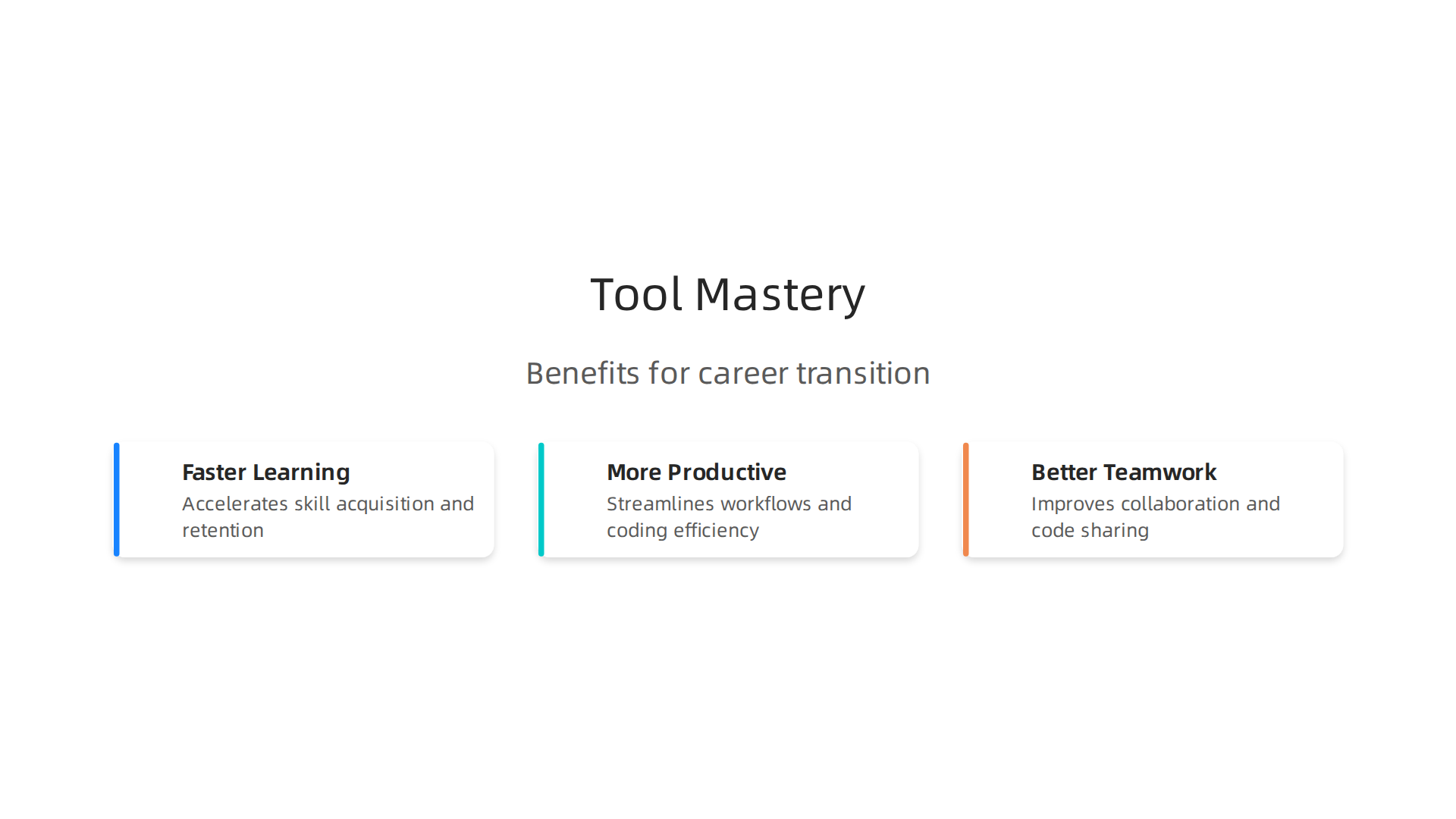
- Faster Learning: The right tools can make tricky things easier to understand, cutting down your learning time.
- More Productive: Good web development tools help you work faster and get more done each day. This is key for keeping up in any tech role.
- Better Teamwork: If you can use the same tools as your team, it makes working together smoother. This is super helpful when you need to team up with sales or appointment-setting groups. For instance, understanding good UX design can help you make digital tools that actually work for booking meetings [3]. These tools of web development help everyone stay on the same page.
So, mastering these essential web tool development programs and software truly matters. It makes you ready for a remote job, helps you learn faster, and makes you a much more valuable team member.
Who benefits from learning web development tools (and how to map your background)
Learning web development tools isn’t just for people who want to be full-time coders. Actually, many different kinds of people can get a big boost from knowing these important programs and systems.
It’s all about how you use these tools to make your current job better or find a new, exciting path, especially in 2026.
Let’s look at who benefits the most:
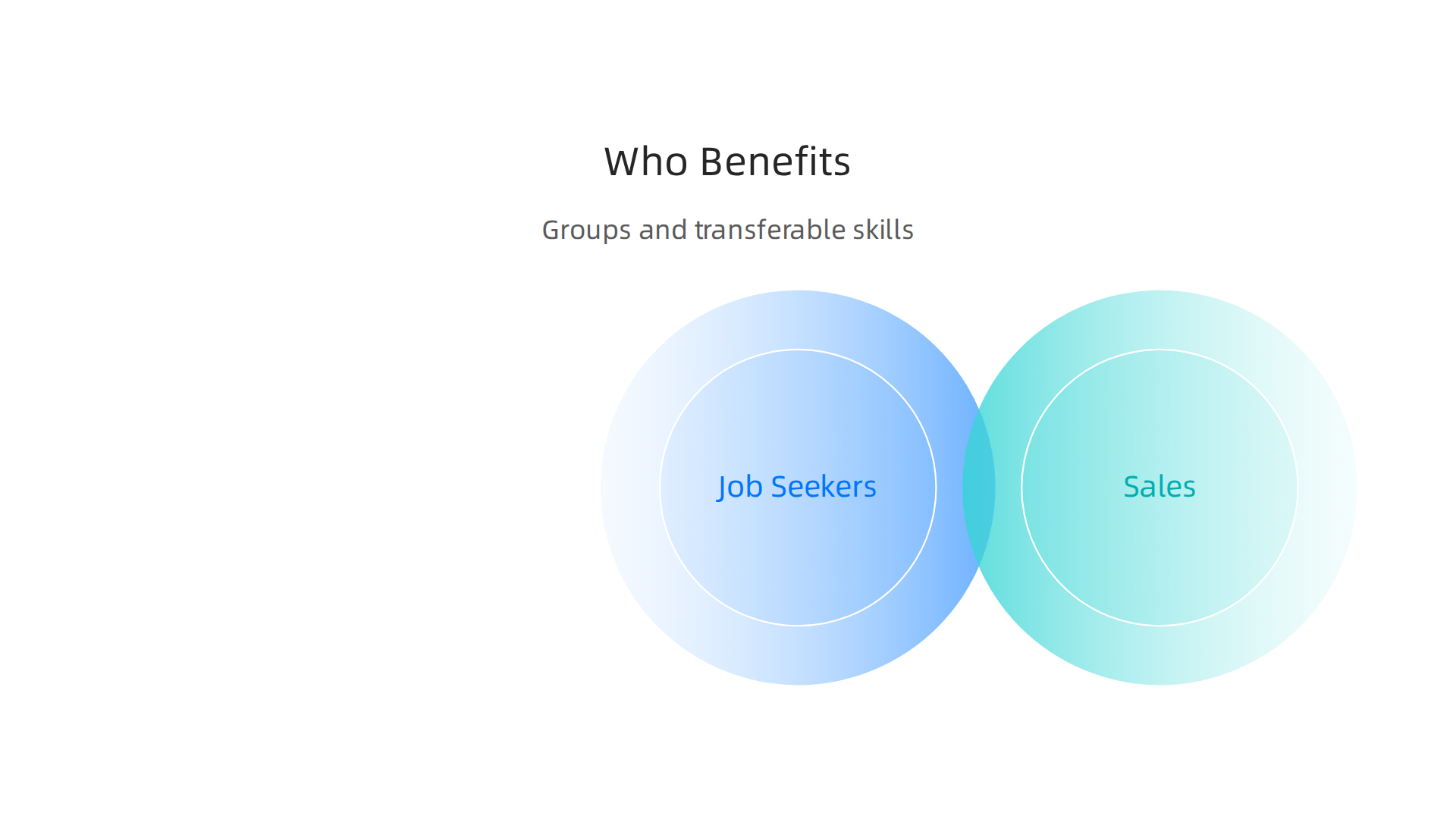
- Job Seekers: If you’re looking for a new job, especially one you can do from home, knowing web development tools makes you stand out. Companies are always looking for people who can help build and maintain their online presence. In 2026, about 20,900 new jobs for web developers are expected over the next ten years, showing how much this field is growing [1]. This makes learning web development a smart move for finding work.
- Sales Professionals Moving to Tech Roles: Maybe you’ve been in sales for a while and want to try something new, like a tech-adjacent role. Your skills in talking to people and understanding what they need are super valuable. Learning about web tool development can help you communicate better with technical teams. You can use your knowledge to make sure the tools they build help customers, just like you would in a sales call. If you’re coming from door-to-door sales, those skills are surprisingly helpful in understanding customer needs for digital tools [2].
- Beginners in Appointment Setting: If you’re just starting out in appointment setting, learning the basics of web development tools can make a huge difference. You’ll understand how websites are built, which helps you suggest better ways to set up online forms or booking systems. This knowledge helps you make sure the tools of web development you use for appointments are simple and easy for customers. For instance, understanding UX design can boost your career by making your booking pages work better [3].
- Remote Workers: As more and more jobs become remote, knowing web development tools helps you work well from anywhere.

Many web developers already work remotely, with numbers as high as 78.2% in 2026, making it one of the top remote jobs [4]. These tools let you collaborate with your team, manage projects, and get your work done, no matter where you are.
How Your Current Skills Transfer
You might think you need to be a tech wizard to learn web development tools, but that’s not true! Many skills you already have can help you a lot:
- Communication Skills: If you’re good at talking to people and explaining things clearly, you can use those skills when working with web development tools. You’ll be great at telling designers and developers what customers want, or explaining problems to your team.
- Process Thinking: Do you like to plan things step-by-step? This "process thinking" is perfect for understanding how websites are built, tested, and updated. It helps you grasp how different web development tools work together in a smooth flow.
- Problem-Solving: When you find a problem and figure out how to fix it, that’s a key skill for web tool development. Websites often have little quirks, and being able to calmly find solutions is very helpful.
Learning these tools for web development can open many doors, giving you new ways to use your talents and find great job opportunities in 2026.
If you want to build websites or work with web technology, you need some special helpers right on your computer. These are the core local web development tools that make daily work much easier and help you be more productive in 2026.
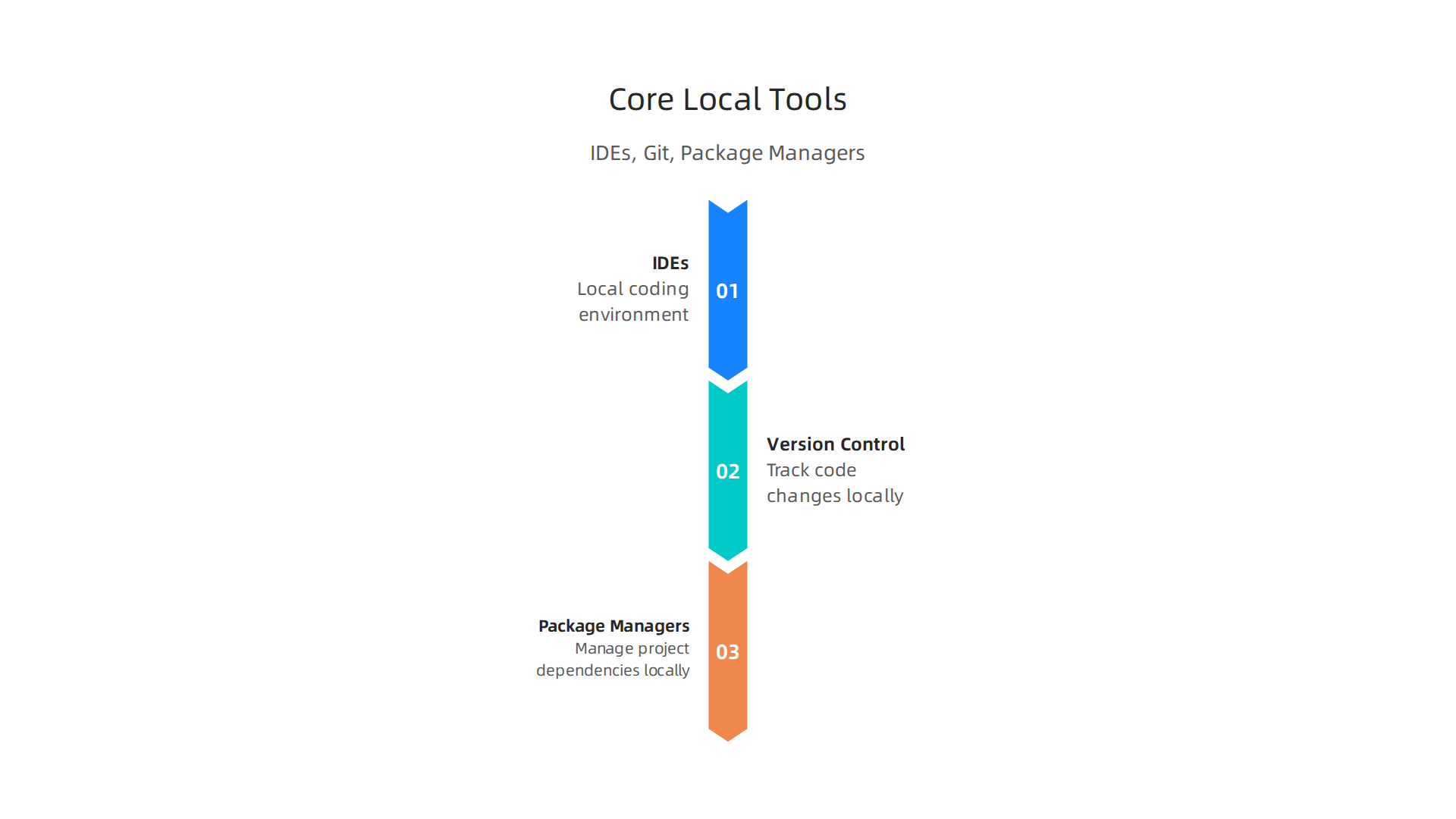
Think of them as your toolbox for creating things online.
Let’s look at the most important ones:
Integrated Development Environments (IDEs) or Code Editors
First, you need a place to write your code. This is where an IDE or a code editor comes in.
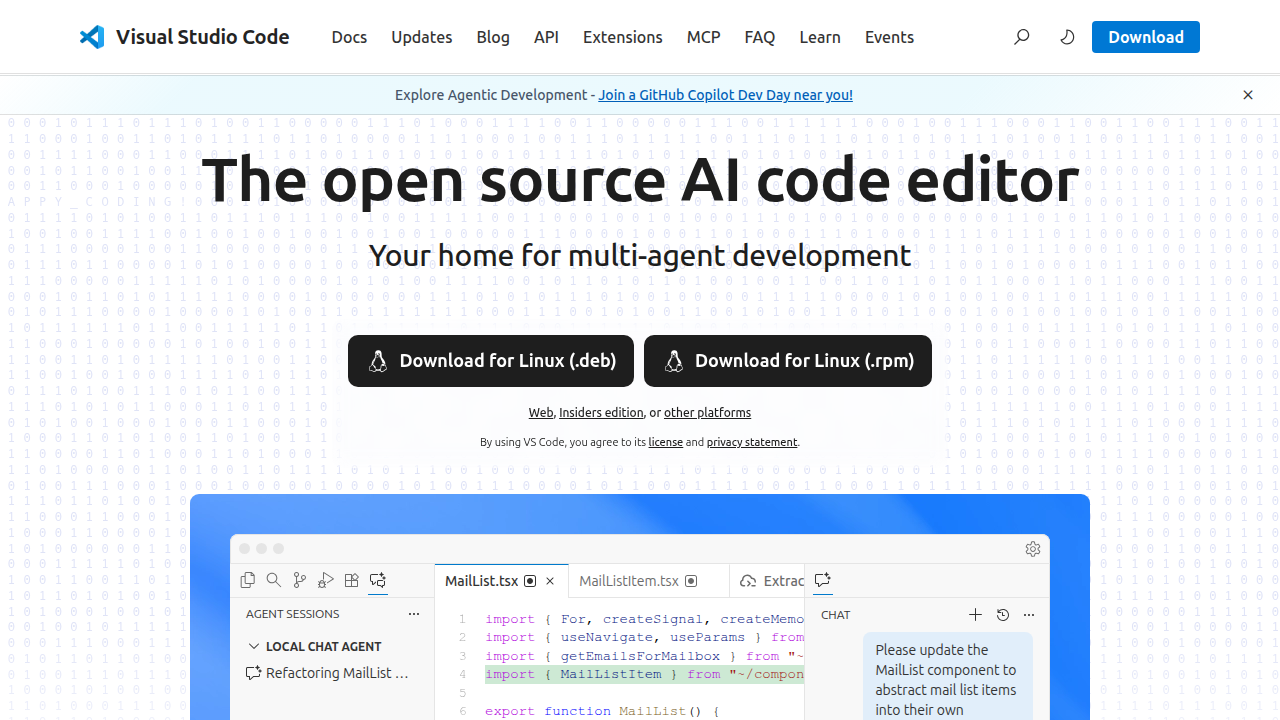
- What they are: An IDE (like Visual Studio Code or IntelliJ IDEA) is like a super-powered text editor made especially for writing code. It often has many features built-in to help you. A code editor is a simpler version, focused mostly on writing and editing code.
- Why they matter: These tools of web development help you write code faster because they can suggest code as you type. They also highlight mistakes in your code, making them easier to find and fix. Many top IDEs in 2026 offer smart debugging and even AI tools to boost how fast you code [1].
- Popular Choices: For beginners, a free code editor like Visual Studio Code (VS Code) is a great start. It’s easy to use and very popular.
Version Control (like Git)
Imagine you’re writing a big school paper, and you want to keep track of every change you make. You want to go back to an older version if you make a mistake. That’s what version control does for your code.
- What it is: Version control is a system that records changes to your computer files over time. It lets you go back to specific versions later. Git is the most popular tool for web development in this area.
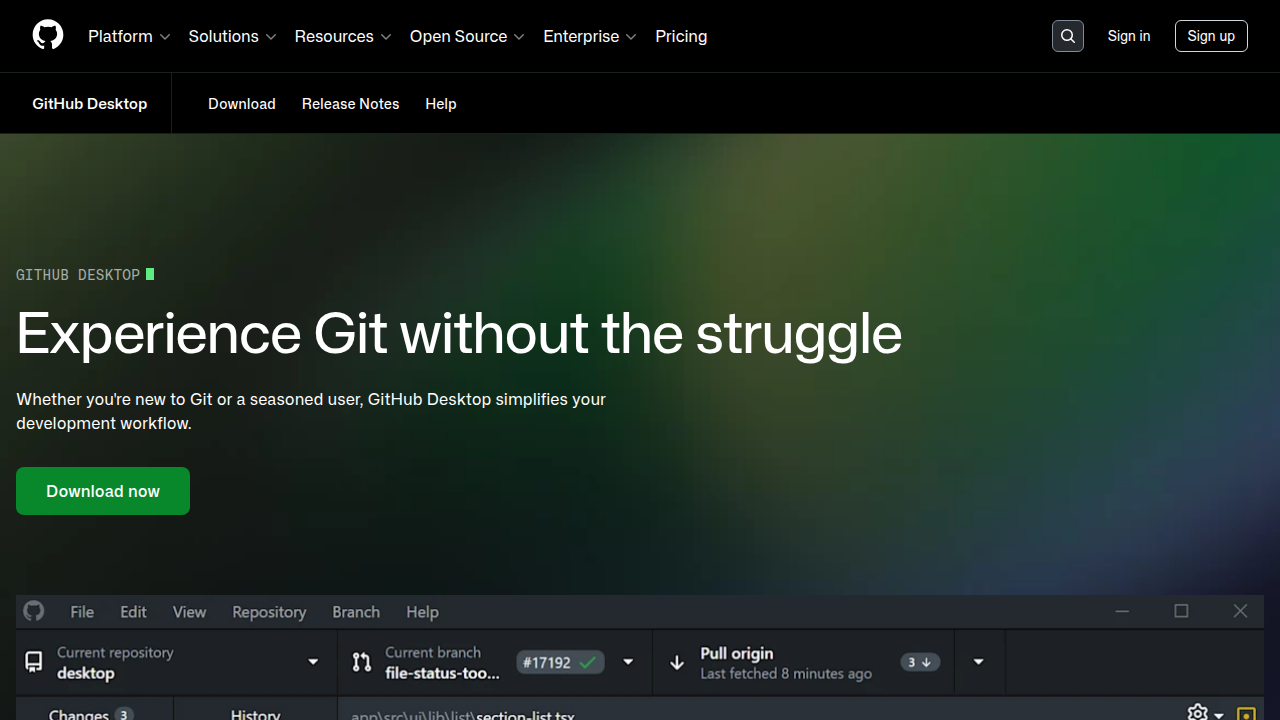
- Why it matters: It’s super important for working in teams, as everyone can work on the same project without messing up each other’s work. If something breaks, you can easily go back to a working version. Many teams use tools like GitHub and GitLab for this [2]. Actually, GitHub Desktop is often a top choice for newcomers because it’s a simple, visual way to manage your code changes [3].
- Learning Tip: Git can seem tricky at first, but it’s a fundamental skill for any type of developer in 2026.
Package Managers
When you build a website, you often need small pieces of code that other people have already written. These could be things like a calendar, a photo gallery, or a tool to help your website look good on phones.
- What they are: Package managers are web tool development helpers that let you easily get, install, and manage these pre-written code pieces (called "packages" or "libraries") for your projects.
- Why they matter: They save you a ton of time. Instead of writing everything from scratch, you can use a package manager to add a ready-made feature in just a few steps. For example, if you’re working with JavaScript for the web,
npmis a very common package manager. If you’re using Python for things like data science, you’d likely usepipto manage your packages, which is a great skill to have for future career paths, like those found in Python for data science your career path to get hired in 2026.
Practical Checklist for Beginners
Ready to start using these tools for web development? Here’s a simple checklist:
- Install a Code Editor: Download and install a friendly code editor like Visual Studio Code.
- Install Git: Get Git set up on your computer. You can find guides online for your specific operating system.
- Learn Basic Git Commands: Start with the simplest commands:
git add,git commit,git push, andgit pull. Practice using them often. - Install a Package Manager: If you’re working with JavaScript, install Node.js (which includes npm). For Python,
pipusually comes with Python, so just make sure it’s working. - Save Often with Version Control: Make it a habit to save your work using Git. This way, you won’t lose changes and can go back in time if needed.
- Avoid Common Pitfalls:
- Not using Git: Always use version control, even for small projects, to build good habits.
- Making huge changes at once: Break your work into smaller, manageable changes.
- Forgetting to update packages: Keep your packages updated to get the latest features and security fixes.
Getting comfortable with these core web development tools will give you a strong base for your journey into web creation!
Frontend Toolchain: Frameworks, Bundlers, and Design Tooling
After getting your basic computer setup ready with essential web development tools like a code editor and Git, you’ll need more specialized helpers to build the parts of a website that people actually see and interact with. This is called the "frontend." These are the tools that bring your website designs to life and make them work smoothly in a browser.
Frontend Frameworks and Libraries
Think of building a house. You could start with just wood and nails, but it’s much faster and easier if you have pre-made wall sections or window frames. That’s what frontend frameworks and libraries are for web development.
- What they are: These are collections of pre-written code that give you a starting structure and ready-to-use pieces for your website. They help you build the user interface, which is everything a person sees and clicks on.
- Why they matter: They save you a lot of time because you don’t have to write every little bit of code from scratch. They also help keep your code organized and often lead to faster, more interactive websites.
- Popular Choices: In 2026, some of the most popular choices are React, Vue, and Angular. Learning one of these makes you a much more attractive candidate for many web development jobs.
Build Tools and Bundlers
Once you write your code, it often needs a little preparation before it can run perfectly in a web browser. This is where build tools and bundlers come in.
- What they are: These are web development tools that take all your different code files (like JavaScript, CSS, and images) and get them ready for the web. They might combine them into fewer files, make them smaller, or change them so they work better.
- Why they matter: They help your website load faster and work more efficiently. Tools like Webpack or Vite are common examples that handle these tasks automatically. This part of the web tool development process is crucial for modern websites.
CSS Tooling
Making a website look good is about styling, and that’s where CSS (Cascading Style Sheets) comes in. There are special tools of web development that make working with CSS much easier.
- What it is: CSS tooling includes things like "CSS preprocessors" (like Sass) that let you write CSS with more advanced features. There are also tools like PostCSS that improve your CSS or helper libraries like Tailwind CSS that give you pre-designed styles.
- Why it matters: These tools help you write cleaner, more organized CSS, making it easier to change your website’s look. They also help ensure your website looks good on different screen sizes.
Design-to-Code Handoff Tools
Before you write any code, someone usually designs how the website will look and feel. These design ideas need to be shared clearly with the person writing the code.
- What they are: These are programs like Figma or Sketch where designers create visual mockups of a website.
They then use features in these programs to give developers all the details they need to turn that design into real code.
- Why they matter: They help make sure the final website looks exactly like the designer intended. This also means you don’t have to guess how something should look, speeding up your work. Understanding how to use these design tools for web development is a valuable skill. Even if you’re not a designer yourself, knowing these tools can help you understand how design choices impact user experience, which is a great skill to have. Learn more about how design can influence other roles in our guide on UX design for appointment setters.
Choosing a Practical Frontend Stack for Employability
For those just starting out and wanting to get hired quickly in 2026, focusing on a practical set of web development tools is smart. You don’t need to learn everything at once. A good starting stack often includes:
- HTML, CSS, and JavaScript: These are the core languages of the web.
- A popular framework: React is highly in demand, but Vue is also a great choice because it’s known for being beginner-friendly.
- A simple build tool: Many frameworks now come with easy-to-use build tools, or you can pick one like Vite.
- Basic CSS tooling: Start with plain CSS, then maybe explore Sass or Tailwind CSS once you’re comfortable.
By mastering a focused set of these tool for web development, you’ll be well-prepared to build exciting web experiences and secure a job in the fast-growing tech world.
After setting up the parts of your website that people see, called the frontend, you need a strong "backend." Think of the frontend as the dashboard and seats in a car. The backend is the engine and all the complex parts under the hood that make the car actually run. These web development tools for the backend handle all the logic, data storage, and communication that happens behind the scenes.
Backend Essentials: Runtimes, Databases, APIs, and Deployment Basics
The backend is where your website’s main work gets done. It’s where information is processed, saved, and sent to the frontend.
To build a backend, you’ll need a few important types of web development tools.
Language Runtimes
You write backend code using programming languages like Python, Node.js (for JavaScript), Ruby, or Java. A "runtime" is like a special environment that understands and runs your code.
- What they are: These are programs that execute your backend code. For example, if you write in Python, you need the Python runtime installed on your server. If you use JavaScript on the backend, you’d use Node.js.
- Why they matter: They turn your written instructions into actions the computer can perform. Learning a popular backend language and its runtime is a key skill. If you’re interested in learning Python, a powerful tool for many backend tasks, you can explore more about Python for Data Science: Your Career Path to Get Hired in 2026.
Databases
Almost every website needs to store information, like user accounts, product details, or blog posts. Databases are specialized tools for web development that do this job really well.
- What they are: Imagine a super organized filing cabinet that can quickly find, add, or change any piece of information. That’s a database. There are different kinds, like SQL databases (PostgreSQL, MySQL) which are structured like tables, and NoSQL databases (MongoDB) which are more flexible.
- Why they matter: They keep your website’s data safe, organized, and quickly available.
APIs (Application Programming Interfaces)
The frontend and backend need a way to talk to each other. That’s what APIs are for.
- What they are: An API is like a menu at a restaurant. It lists all the things the backend can "do" or "give" to the frontend. When the frontend asks for something, the API handles the request and sends back the right information. Common types are REST APIs and GraphQL APIs.
- Why they matter: APIs are the bridge that connects the user interface to the backend logic and data. They are crucial for modern web tool development.
Deployment Basics
Once your backend is built, you need to get it online so people can use it. This process is called deployment.
- What it is: Deployment means putting your code on a server that’s always connected to the internet. This involves setting up the server, installing your runtime and database, and making sure your application can be accessed.
- Why it matters: Without deployment, your website only works on your computer. Modern deployment often uses tools that automate many steps, called CI/CD (Continuous Integration/Continuous Deployment) pipelines, which help teams release updates faster and more securely in 2026. Many popular CI/CD platforms are available for teams of all sizes Source Source. Learning about these pipelines is becoming a key practice for developers Source.
Getting Started with Backend Development
For beginners, diving into every single backend tool of web development can feel like a lot. Here’s a simple path to gain practical experience:
- Pick one language and runtime: Start with Python (using a framework like Flask or Django) or Node.js (using Express.js). They are both widely used and have lots of learning resources.
- Learn a simple database: Begin with a relational database like PostgreSQL or a document database like MongoDB. Many online tutorials show how to connect them to your chosen language.
- Use ready-made services for deployment: Instead of setting up your own servers, use cloud platforms like Heroku, Vercel, or Netlify. These services make it much easier to put your backend code online without needing deep technical knowledge about server management. They let you focus on writing code, which is a great way to practice backend deployment quickly.
Even after you build the main parts of your website, there are more important skills and web development tools to learn. These help your website run smoothly, stay safe, and get updated easily. We’re talking about basic DevOps ideas, how to make sure your code works correctly, and keeping everything secure. These might sound advanced, but knowing the basics can really help you get hired in 2026.
DevOps, CI/CD, Testing, and Security: What to Learn Early
Think of these as the quality control and safety systems for your web project. They make sure your web development tools work well together and protect your users.
Continuous Integration/Continuous Deployment (CI/CD) Basics
In the last section, we talked about putting your website online, called deployment. CI/CD makes this process automated and smooth.
- What it is: CI/CD uses tools for web development to automatically build your code, run tests, and even put your new changes onto the live website every time you update your code. It’s like having a robot helper that checks your work and publishes it for you. Many popular CI/CD platforms are widely used by teams of all sizes in 2026 to release updates faster and more securely. For instance, tools like GitHub Actions, Jenkins, and GitLab CI are popular choices for CI/CD pipelines Source.
- Why it matters: This helps find problems early and makes sure your website updates quickly without breaking things. Learning these pipelines is a key practice for developers Source.
- How to practice: Start with a simple project on GitHub. You can find ready-made templates for GitHub Actions to set up basic CI/CD. It’s a low-risk way to understand how these automation web development tools work.
Test Automation
Before your code goes live, you want to be sure it actually works. That’s where testing comes in. Automated testing means computers check your code instead of a person doing it by hand.
- What it is: You write special code that checks if other parts of your website’s code do what they’re supposed to do. If something breaks, the automated tests will quickly tell you. This is a crucial part of the CI process Source.
- Why it matters: It helps catch mistakes before your users see them. This saves time and makes your website more reliable. Modern development heavily relies on automated testing within CI/CD pipelines Source.
- How to practice: When you learn a programming language like Python, also learn its testing framework (like
pytestfor Python). Write small tests for the functions you create in your backend code. If you are keen on understanding how Python can be a strong foundation for a tech career, exploring more about Python for Data Science: Your Career Path to Get Hired in 2026 can give you a broader view of its versatility.
Fundamental Security Practices
Keeping your website safe from attacks and protecting user data is super important. Even as a beginner, you need to think about security.
- What it is: This means following best practices to prevent common security problems. For example, never putting secret passwords directly in your code. Always using secure ways to handle user data. Many special web tool development security tools exist to help protect CI/CD pipelines in 2026 Source.
- Why it matters: A website with poor security can lose user trust, suffer data breaches, and even face legal issues.
- How to practice: Learn about common web security threats (like SQL injection or cross-site scripting) and how to protect against them. Most programming frameworks have built-in security features, so learn how to use them properly.
Learning these skills early makes you a much more valuable developer. It shows you can build not just working websites, but also reliable and secure ones. These aren’t just advanced topics; they’re becoming basic requirements for anyone using tools of web development in 2026.
The previous section covered key web development tools like CI/CD and testing to make sure websites run smoothly. Now, let’s talk about how people work together on websites, especially when they’re not in the same office. In 2026, many web developers work remotely. Actually, a large number of web developers, about 78%, work from home, making it one of the top jobs for remote work Source. This means knowing how to work with others online and use the right web development tools is super important.
Collaboration, remote workflows, and integrations useful to appointment setters and sales pros
To work well from different places, teams use special tools for web development for talking and keeping track of tasks.
- Communication: Apps like Slack or Microsoft Teams help everyone chat quickly and share ideas.
- Project Management: Tools like Trello or Asana let teams see what everyone is working on, set due dates, and share files. These help keep big projects organized.
For roles like appointment setters or sales pros, getting meetings set up smoothly is key.

You might use a special web tool development program like Calendly or HubSpot’s scheduling tools to book calls Source.
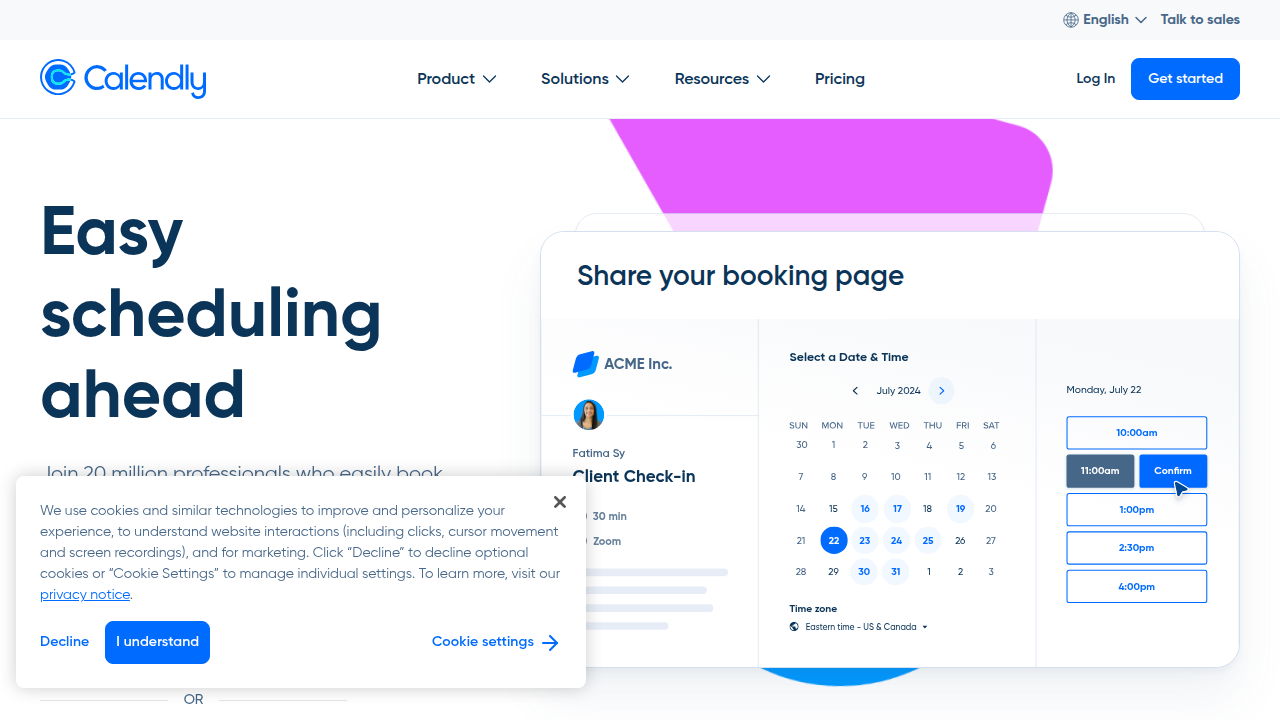
The cool part is how these scheduling tools connect with customer relationship management (CRM) systems. CRMs like Salesforce or Zoho help companies keep track of their customers and sales leads. Many top CRM systems even have appointment scheduling built right in for 2026 Source. When your scheduling tool talks to your CRM, it means:
- Booking a meeting automatically updates the customer’s record in the CRM.
- It helps avoid double bookings and makes sure everyone knows what’s happening.
This connection is a huge help for appointment setters. Understanding these tools of web development and how they link up can open doors to roles like technical support or even sales engineering. If you’re interested in learning more about how these skills fit into a sales career, you can explore resources like How Door-to-Door Sales Skills Lead to a Remote Appointment Setting Career. Or, if you want to book more meetings, check out The Appointment Setter’s Guide: Ditch Useless Websites and Book More Meetings.
You don’t have to be a developer to make these systems work better. Many web tool development options let you set up simple automations. For example, you can set rules to:
- Automatically add new appointments to your calendar.
- Send a reminder email to a client before a meeting.
- Create a simple task in a bug tracker if a customer reports a problem on the website.
These small automations make everyone’s job easier and help teams work together better. Learning these practical skills makes you a valuable team member, whether you’re building websites or helping customers.
Choosing the right set of web development tools can feel like picking from a giant candy store. There are so many options! But to build cool websites and get a job in 2026, you don’t need to learn everything. You just need to pick the right starting tools for you. This is often called a "tech stack." Here’s how to choose your first stack and a simple plan to learn it in 90 days.
How to Pick Your First Web Development Tools
Think of choosing your first tool for web development like planning a trip. You need to know where you want to go, what others are doing, and how much time you have.
- Your Career Goals: First, think about what kind of web work excites you. Do you want to build the parts of a website people see and click on (this is called front-end)? Or do you want to work on the hidden parts that make the website run, like databases and servers (back-end)? Maybe you want to do a bit of both (full-stack). Your goal helps narrow down the tools for web development you’ll need. For example, if you like the idea of working with data on the back-end, learning a language like Python could be a great step for your career path in 2026.
- Look at Job Listings: A smart move is to check job ads for roles you like right now. What specific web development tools do companies ask for? If many jobs mention a certain programming language or framework, that’s a good sign it’s in demand. This tells you what employers are looking for in 2026, especially for remote jobs where knowing your tools is key [Source: remotevibecodingjobs.com].
- Think About Your Time: Be honest about how much time you can spend learning. Some web tool development areas are quicker to pick up than others. It’s better to learn a few important tools well than to try learning too many things at once and feel stuck. Start with a focused set of tools, and you can always add more later [Source: almcorp.com].
Your 90-Day Learning Plan for Web Development
Once you pick your starting tools, it’s time to learn! This 90-day plan helps you build real skills and show them off.
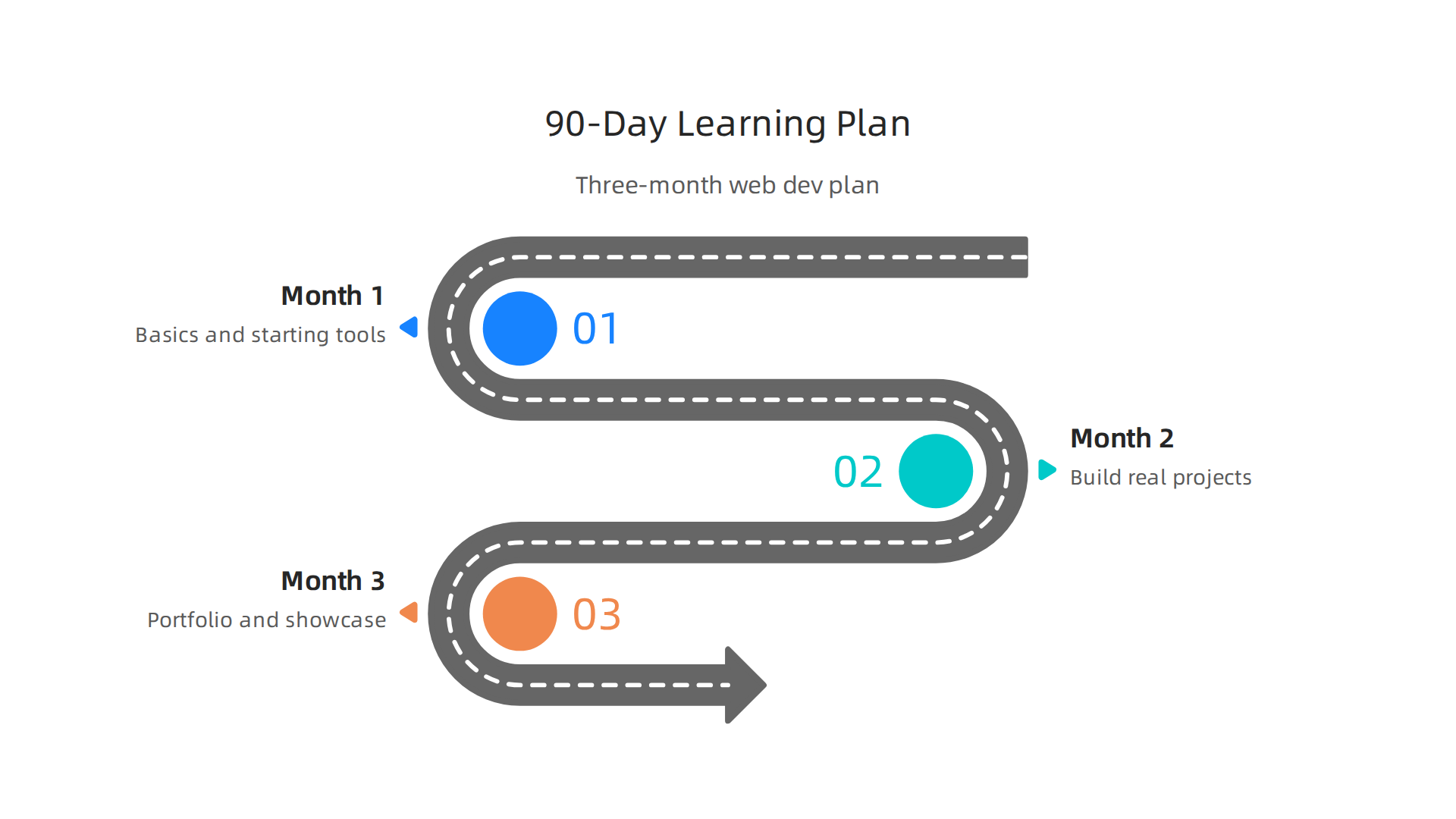
- Month 1: Learn the Basics (Days 1-30)
- Start with the very foundations. For front-end, this means HTML (for content), CSS (for style), and JavaScript (for making things move). For back-end, you might learn the basics of a language like Python.
- Use free online tutorials, videos, or simple courses. Focus on understanding why things work, not just memorizing.
- Build very small projects. Try to make a simple webpage about yourself or a tiny game. These small wins build your confidence with your chosen web development tools.
- Month 2: Build Small Projects (Days 31-60)
- Now, dive a little deeper. Learn more features of your chosen tools. For example, if you chose JavaScript, learn about a popular framework like React. If you chose Python, learn how to make a simple web application.
- Work on one or two bigger projects. Maybe a to-do list app or a simple weather checker. These are your "portfolio pieces." They show what you can actually build.
- Think about online learning programs or coding bootcamps. Many bootcamps have great success rates, helping people get jobs by focusing on practical skills [Source: ash.harvard.edu].
- Month 3: Show Your Work and Apply (Days 61-90)
- Polish your projects. Make sure they look good and work well. Test them out.
- Create an online portfolio. This is like your digital resume for web development. It shows all the cool stuff you’ve built. Websites like GitHub are great for this.
- Practice talking about your projects and the tools of web development you used. Be ready to explain how you solved problems.
- Start looking for junior web developer jobs. With a portfolio of real projects, you’ll stand out to employers.
By following this plan, you’ll not only learn important web development tools, but you’ll also have actual projects to show, which is super important for finding a job in the tech world of 2026.
Summary
This article explains why learning modern web development tools is one of the fastest ways to open remote career opportunities in 2026, and it lays out which tools matter most. It covers who benefits—from job seekers and sales professionals to appointment setters—and how existing skills like communication and process thinking transfer to tech roles. You’ll find a clear breakdown of essential local tools (code editors, Git, package managers), practical frontend and backend toolchains, plus deployment and DevOps basics like CI/CD, testing, and security. The guide shows how collaboration tech and CRM integrations make web skills useful for appointment-setting and sales workflows. It also gives a simple checklist for beginners and a focused 90-day learning plan to build portfolio projects and apply for jobs. Overall, the article helps you choose a practical starter stack, avoid common beginners’ mistakes, and turn learning into real, hireable skills for 2026.

Unlock High Paying Remote Jobs with Coursera English Courses
Python for Data Science Your Career Path to Get Hired in 2026