UX Design for Appointment Setters: Boost Your 2026 Career
Introduction: The Importance of UX Design in Modern Careers
Today, nearly every job involves a digital interaction. Whether you’re scheduling a meeting, using a company app, or navigating a sales platform, you are experiencing a design user experience, or UX. This isn’t just for tech companies anymore. In 2026, understanding the basics of UX design is becoming a powerful career skill across all fields, including sales support and appointment setting.

So, what exactly is UX design? At its core, user experience (UX) design is the process of creating products around user needs and expectations. It’s about making things not just functional, but intuitive and pleasant to use. This focus on the human using the product is what separates good design from great design. These UX design principles help create digital experiences that are purposeful, accessible, and easy to use.
Why does this matter for your career? The demand for UX-aware professionals is exploding. Companies now realize that a clunky website or a confusing scheduling tool can cost them customers. If you work in appointment setting, your entire job is a user experience. You guide a potential lead through a process. Understanding key UI/UX design principles makes you better at this. You can anticipate friction points, communicate more clearly, and ultimately, book more meetings. It turns you from someone who just follows a script into someone who thoughtfully designs the conversation.
This skill set opens doors. It adds a layer of career flexibility that is priceless in today’s job market. You’re not just an appointment setter; you’re a professional who understands how people interact with technology and processes. This knowledge is valuable for remote work, as it allows you to collaborate effectively with marketing and product teams, no matter where you are. It’s a high-growth mindset that starts with a simple shift: seeing every task as part of a larger user journey.
If you’re looking to sharpen the core skills that make a great appointment setter, learning more about UX thinking is a fantastic start. For a deeper dive into the tools and mindsets that drive success, explore our guide on how to ditch useless websites and book more meetings.
What is Design User Experience? A Foundational Overview
You have probably heard the term "design user experience" or "UX design" before. It sounds technical. But at its heart, it’s a very human idea. It’s about making things work well for the people who use them.
So, let’s define it clearly. User experience (UX) design is the process of creating products, like apps or websites, around user needs and expectations. As defined by the experts at Figma, it’s about building digital products that truly serve the user. The goal is to create experiences that are not just functional but meaningful and relevant. Think about the last time you used an app that felt intuitive, almost like it read your mind. That’s good UX design at work.
This process rests on three core pillars:
- Usability: This is about making sure a product works as well as possible. It asks: Is it easy to use? Can people complete their tasks without confusion or frustration? According to Digital.gov, while UX is the big picture, usability focuses on these smooth mechanics.
- Accessibility: A great experience is one everyone can have. UX design means ensuring people with different abilities can use your product.

This includes considerations for screen readers, color contrast, and keyboard navigation.
3. Interaction: This is the feel of the experience. How does a button respond when you click it? Does the flow from one screen to the next make sense? It’s the thoughtful details that make using something satisfying.
From Websites to Everything
The idea of UX has evolved. In the past, it was often tied just to website design. Today, in 2026, it’s a holistic discipline that touches every digital point of contact. Every app, software tool, kiosk, and even the process of scheduling a meeting online is shaped by UX principles. These principles are the foundation for creating digital experiences that are purposeful and easy to use. This shift means that understanding the basics of UX design is valuable for everyone, not just professional designers.
UI vs. UX Design: What’s the Difference?
This is a common point of confusion, so let’s clear it up. UX (User Experience) design and UI (User Interface) design are closely related but different parts of the same process.
- UX Design is the entire journey. It’s the blueprint. If we compare it to a restaurant, UX design is everything: the reservation system, the ambiance, the service, the menu layout, and how smoothly you get your food and bill.
- UI Design is a part of that journey. It’s the visual touchpoints. Staying with our restaurant, UI design is the look of the menu, the color of the plates, the style of the fonts, and the shape of the buttons on the payment tablet.
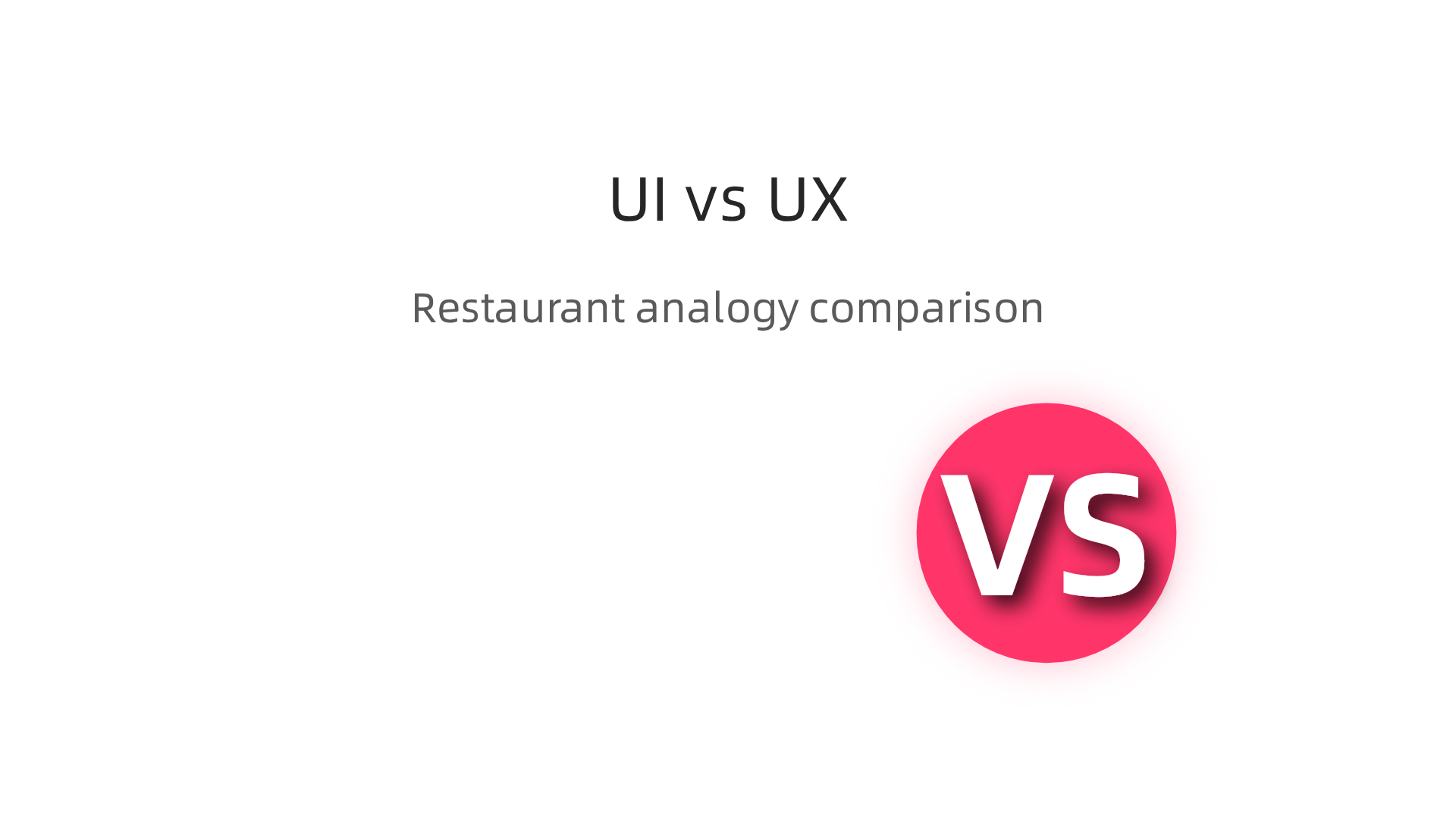
You can’t have a great experience with a terrible interface, and a beautiful interface is useless if the overall experience is broken. They work together. Modern professionals often need to grasp key UI/UX design principles to collaborate effectively, even if they aren’t doing the visual design themselves.
For someone in appointment setting, this distinction is powerful. Your "UI" might be your email template or calendar link. Your "UX" is the entire process from a lead finding you to them happily showing up for a meeting. By applying this foundational overview of design user experience, you start to see your role in a new light. You become a designer of smooth, effective conversations.
Want to see how this thinking applies directly to booking more meetings? Our guide shows you how to ditch useless websites and design a better prospecting experience.
The Role of UX Design in Appointment Setting and Sales Support
So, how does this apply to setting appointments? You are not just sending emails or making calls. You are designing an experience. Every touchpoint, from your initial message to the final calendar confirmation, is part of a user journey. Applying ui/ux design principles here can transform your efficiency and success.
Think of your lead as the user. Your goal is to guide them to a booked meeting with as little friction as possible. This is where the basics of UX design become your secret weapon.
Streamlining Your Workflow with UX Thinking
Good UX is about removing obstacles. In appointment setting, obstacles are missed replies, scheduling confusion, and unqualified leads.
- Usability in Tools: The platforms you use should make your job easier, not harder. A well-designed customer relationship manager (CRM) lets you track leads intuitively. A smart calendar tool shows your availability clearly and lets prospects book in one click.

Research on time booking interfaces shows that clarity and simplicity drastically increase completion rates.
- Accessibility in Communication: This means making information easy to get. Are your meeting instructions clear? Can someone quickly find the Zoom link? Do you offer options for different time zones? This thoughtful communication prevents last-minute cancellations and confusion.
- Interaction in the Process: The "feel" of the experience matters. Does your calendar link send a friendly, immediate confirmation? Does your reminder email add value? These small, positive interactions build trust before the meeting even starts.
UX-Driven Tools for Modern Sales Support
In 2026, the tools of the trade are built with design user experience at their core. Platforms like Calendly or SavvyCal are famous for their clean, user-friendly booking pages.
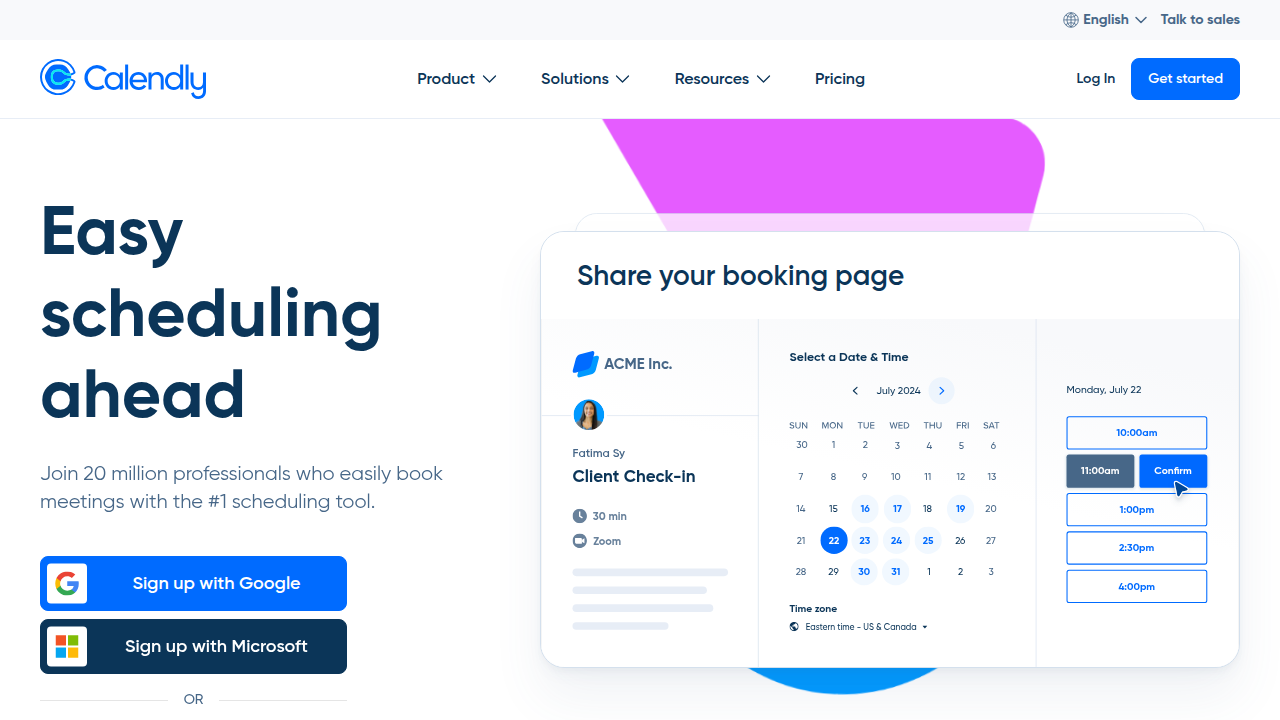
But it goes deeper. Modern sales engagement platforms use UX principles to streamline sequences, making it easy to personalize outreach at scale. Even AI tools that help qualify leads or suggest follow-up times are designed around user-centered workflows, a trend highlighted in AI business use cases for 2026.
Boosting Engagement and Conversions
Here is the ultimate impact. A user-centered design user experience directly leads to more meetings and higher-quality leads. When the process is smooth, prospects are more likely to say "yes." When they feel understood and respected from the first interaction, they show up more prepared and engaged. This improves conversion rates for the sales team you support. It turns a simple scheduling task into a powerful part of the sales engine, a concept backed by modern appointment setting strategies.
You are not just an appointment setter. You are a designer of critical first impressions. By applying a ui vs ux design mindset, you focus on the entire journey (UX) while polishing each touchpoint (UI), like your email template or booking page. This holistic approach is what makes top performers stand out.
To see this in action and design a better prospecting journey from start to finish, explore our guide on how to ditch useless websites and book more meetings.
Key UX Design Principles for Effective Appointment Setting
We have seen that a UX mindset can transform appointment setting from a task into an experience. Now, let us get specific. What are the core ui/ux design principles you can apply right now to make your process smoother and more successful? Here are three key principles that turn the basics of ux design into powerful tools for your workflow.
Principle 1: User Research and Empathy – Know Your Prospect’s Journey
Great design user experience always starts with understanding the user. In this case, your user is the busy professional you are trying to book a meeting with. Before you send a single email, ask yourself: What does their day look like? What are their biggest pain points? What would make them say "yes" to a meeting?
This is not guesswork. It is strategic research. Look at the industries you target. Read their forums. Understand their language. When you craft your outreach, speak directly to the challenges they face. An empathetic approach, rooted in simple research, makes your message feel personal and relevant, not like spam. This directly leads to higher response rates, a core tenet of modern appointment setting strategies.
Principle 2: Usability and Efficiency – Remove Every Friction Point
This principle is all about making things easy. Your goal is to guide someone from "interested" to "scheduled" in the fewest, simplest steps possible. Think about the ui ux design of your own scheduling process.
- The Calendar Interface: Is your booking page clean and intuitive? Can prospects see your availability at a glance and pick a time in two clicks? Complex calendars cause drop-offs. Research on time booking interface design shows that clarity and visual simplicity are critical for high completion rates.
- The Communication Chain: After someone books, what happens? The confirmation and reminder emails are part of the design user experience. Is the Zoom link obvious? Are the instructions clear? Do you automatically adjust for time zones? Efficient, thoughtful communication prevents no-shows and builds professionalism.
- Tool Integration: The tools you use should work together seamlessly. Your CRM should talk to your calendar. Your email platform should trigger follow-ups automatically. This streamlined workflow, a major trend in 2026 remote work platform UX, reduces your mental load and lets you focus on connecting with people, not managing data.
Principle 3: Feedback and Iteration – Always Be Improving
A static process is a dying process. The final core principle of ui/ux design principles is to treat your appointment setting method as a prototype you are constantly refining. How do you do that? You use data.
- Track What Works: Look at your metrics. Which email subject lines get the most opens? Which call-to-action phrases get the most clicks on your calendar link? Which days and times lead to the highest show-up rates? This data is your guide.
- Run Small Tests: This is where the ui vs ux design thinking comes together. Test a new button color on your booking page (a UI change) and see if more people click it. Test a new intro line in your outreach (a UX change) and see if it improves replies. Small, controlled experiments help you improve over time.
- Learn from the Best: Just like designers study UX case studies to learn, you can study what top performers in your field are doing. Analyze their outreach. See how they structure their process. Use their successes as inspiration for your own iterative tests.
By adopting these three principles, you move beyond just setting appointments. You are designing a reliable, scalable system for creating valuable connections. You start with empathy, build with efficiency, and improve with data. This is how you apply a true design user experience mindset to become a more effective professional in 2026.
To see how a deep understanding of your prospect’s online journey can revolutionize your approach, dive into our guide on how to ditch useless websites and book more meetings.
Essential UX Design Skills and Tools for Beginners
Now that you understand the key principles, you might be wondering: how do I actually do this? Moving from understanding the basics of ux design to applying it requires a specific set of skills and the right tools to bring your ideas to life. Whether you’re refining your own workflow or considering a full career shift, here’s what you need to get started.
Core Skills to Master
Think of these as the fundamental muscles every design user experience professional needs to develop. They move you from theory to practice.
-
User Research & Empathy: This is the cornerstone. It’s the skill of understanding what people truly need, not just what they say. For you, this means learning to conduct interviews, create surveys, and analyze how people interact with a system. It’s about listening deeply and spotting the problems they can’t always articulate. This skill directly informs every decision you’ll make, ensuring your work solves real issues.
-
Wireframing & Prototyping: This is where ideas take shape. Wireframing is like creating the blueprint for a screen—a simple, structural sketch of where everything goes. Prototyping is the interactive model.

You use these skills to map out user flows and test concepts before any expensive code is written. It’s the essential bridge between a good idea and a tangible plan.
- Usability Testing: You must learn to test your designs with real people. This skill involves planning tests, observing users without leading them, and synthesizing feedback into clear improvements. It’s the practice of humility in design, confirming that what you built actually works for the user. Studying real-world UX case studies is a fantastic way to see how professionals document this process and its impact.
Must-Have Tools for the Modern Workflow
You don’t need every tool at once. Start with a solid foundation for designing, collaborating, and measuring your work, especially in today’s remote-friendly world.
- Design & Prototyping Software: Tools like Figma, Adobe XD, or Sketch are the digital canvases. They allow you to create wireframes, build interactive prototypes, and collaborate with teammates in real-time, which is non-negotiable for modern ui ux design. Many offer free tiers to begin practicing.
- Collaboration & Documentation Platforms: Design doesn’t happen in a vacuum. You need tools to share research, gather feedback, and manage projects. Platforms like Notion, Miro, or even well-integrated suites within your design software are crucial. As highlighted in trends for 2026 remote work platform UX, clarity and async collaboration are key to reducing mental load and keeping projects moving.
- Analytics & Feedback Tools: To iterate effectively, you need data. Basic web analytics (like Google Analytics) help you see what users are doing. Tools like Hotjar or Crazy Egg can show you where they click and scroll. Simple survey tools help you gather direct feedback. This data is the fuel for the "feedback and iteration" principle.
How to Develop These Skills
The path to building these ui/ux design principles into your skillset is more accessible than ever.
- Self-Paced Learning: Start with free resources online. Follow industry blogs, analyze your favorite apps, and try to redesign a clunky website you use. Complete a short course on the fundamentals on platforms like Coursera or Udemy. Practice is key—try designing a better experience for something in your own daily routine, like your personal budget tracker or a local business website.
- Formal Training & Portfolio Building: For a career-focused path, consider a structured bootcamp or certificate program. The real goal is to build a portfolio. Don’t just show pretty pictures; use the skills above. Document a project from the initial user research problem, through your wireframes and prototypes, to the final tested solution. This shows your process, which is what employers value. As the State of UX 2026 report notes, the field is stabilizing by valuing designers who can demonstrate deep thinking and business impact, not just aesthetics.
The job market is evolving, but the need for thoughtful, user-centered design is stronger than ever. By focusing on these core skills and tools, you’re not just learning software; you’re learning how to solve problems systematically. This makes you valuable, whether you’re improving your own appointment setting system or exploring the hundreds of remote UX designer roles available today. The first step is to start applying the design user experience mindset to a project, any project, and learn by doing.
To see how a strategic, user-focused approach can be applied to a very specific challenge, check out our guide on how to ditch useless websites and book more meetings. It’s a practical example of UX thinking in action.
How to Transition into a UX Design Career: A Step-by-Step Guide
You’ve got the skills and tools. Now comes the big question. How do you actually make the move and land a job? The good news is, the path to a career in design user experience is clearer than ever, even if you’re starting from a different field like sales or support. Here is your step-by-step guide for 2026.
Step 1: Take a Skill Inventory and Find Your Gaps
First, look at what you already have. You’re not starting from zero. Skills from other jobs, like understanding customer pain points in sales or managing projects, are valuable. The key is to translate them.
Map your current abilities against core ui ux design needs.
- Do you talk to customers? That’s user research empathy.
- Do you plan projects or workflows? That’s foundational thinking for information architecture.
- Do you solve client problems? That’s the core of the design user experience mindset.
Be honest about the gaps. You might need to learn a tool like Figma or get formal practice in usability testing. The 2026 job market values designers who can think deeply and show business impact, as noted in the State of UX 2026 report. Identify one or two key skills to learn first, instead of trying to learn everything at once.
Step 2: Build a Portfolio That Tells a Story
Your portfolio is everything. It’s not just a gallery of pretty screens. It’s proof of your problem-solving process. For beginners, the best projects often come from your own life or previous work.
A powerful strategy is to design a solution for a problem you know well. For example, if you have a background in appointment setting or sales support, redesign the lead management tool you wish you had. Show your process:
- The Problem: "Setting appointments was inefficient because…"
- My Research: I interviewed 5 sales reps and found…
- My Solution: Here are the wireframes and prototype I created.
- The Test & Result: Usability testing showed a 30% faster workflow.
This approach creates a relevant, compelling case study. For inspiration on structuring your story, look at collections of real UX case study examples. A portfolio with 2-3 deep, well-documented projects is far stronger than one with ten shallow ones. This is a practical application of ui/ux design principles in action, much like the strategies discussed in our guide on how to ditch useless websites and book more meetings.
Step 3: Network and Find the Right Entry Point
With skills and a portfolio, it’s time to connect. The job market in 2026 is different. As one analysis puts it, the UX job market is evolving, not collapsing. Companies are looking for specific problem-solvers.
- Network Intentionally: Don’t just ask for a job. Ask for advice. Reach out to UX designers on LinkedIn whose work you admire. Comment thoughtfully on their posts. Share your learning journey. Many remote teams prioritize clear communication, a trend emphasized in 2026 remote work platform UX.
- Target Entry-Level Opportunities: Look for titles like "UX Associate," "Junior UX Designer," or "Product Design Intern." Don’t ignore contract or freelance gigs; they are fantastic for building real experience. Use specialized job boards to find these roles. You can start your search on platforms like RemoteRocketship or ZipRecruiter, which filter for remote-friendly positions.
The transition into a design user experience career is a project in itself. It requires research, iteration, and a focus on the end user, which in this case, is the hiring manager. By following these steps, you move from learning the basics of ux design to strategically presenting yourself as the solution to a company’s design needs. Start your first portfolio project this week.
UX Design Income Potential and Career Growth Prospects
You’re learning the skills and building a portfolio. But is the investment worth it? Let’s talk numbers and your future. A career in design user experience is not just creatively fulfilling. It is also financially rewarding with clear paths for growth, especially in our remote-first world of 2026.
What Can You Earn as a UX Designer?
Salaries vary by location, experience, and company. In the United States, the numbers are strong. Recent data shows the median total salary for UX designers is around $109,000 per year. This is significantly higher than the median for all U.S. occupations.
For a clearer picture, here’s a breakdown for the U.S. market:
- Mid-Level UX Designer: Typically earns between $75,000 and $110,000 annually.
- Average Total Compensation: Many sources report an average pay near $105,000 to $110,000 per year.
- Context: This compares very favorably to related digital roles. For example, the median wage for web and digital interface designers was just over $98,000.
These figures are based on current reports like the 2026 UX Salary Report and UX Designer Career Statistics for 2026.
While U.S. salaries are often highest, strong opportunities exist in other key markets like the UK, Canada, Australia, and New Zealand. Compensation in these regions is generally competitive and reflects the high demand for ui ux design talent.
Your Path Forward: From Junior to Leadership
Your career doesn’t stop at your first job. The basics of ux design are your launchpad. A typical growth path looks like this:
- Junior UX Designer: You learn, execute tasks, and support the team.
- Mid-Level UX Designer: You own features or projects from start to finish.
- Senior UX Designer: You lead complex projects and mentor others.
- Lead/Staff Designer or Manager: You define strategy, oversee teams, and ensure quality.
You can also specialize. For instance, "Sales UX" is a growing niche. It focuses on designing tools that help sales teams, like appointment setters, work more efficiently. If you have a background in sales support, this is a powerful way to combine your past experience with your new ui/ux design principles. It’s about creating the efficient tools you once needed, similar to the goals in our guide to ditch useless websites and book more meetings.
The Future of UX in a Remote World
Is the demand still growing? Absolutely. The shift to remote and hybrid work has made digital product experience more critical than ever. Companies need designers who can create intuitive, effective platforms for distributed teams and customers.
The U.S. Bureau of Labor Statistics projects growth for web and digital design roles, a category that includes UX, emphasizing the ongoing need for these skills. The key for 2026 and beyond is being a problem-solver who understands business goals, not just a pixel-pusher.
In short, a career in design user experience offers strong pay, multiple avenues for advancement, and a future shaped by the digital tools we all depend on. The path from learning the ui vs ux design differences to earning a senior-level salary is clear and achievable.
Summary
This article explains what design user experience (UX) is, why it matters across jobs, and how basic UX thinking can transform appointment setting and sales support. It covers core UX pillars—usability, accessibility, and interaction—and clarifies the difference between UX (the whole journey) and UI (the visual touchpoints). You’ll learn practical ways to apply UX principles to scheduling workflows, communications, and tool integrations to reduce friction and increase show rates. The guide also outlines three actionable principles—user research and empathy, usability and efficiency, and feedback-driven iteration—plus the core skills and tools beginners need to get started. For those considering a career shift, it gives a step-by-step path to build a portfolio, network, and find entry roles. Finally, it reviews income potential and growth paths in 2026, showing how UX offers both creative impact and strong pay. Overall, readers will be able to design smoother prospect journeys and begin a deliberate move into UX roles.

Launch Your Remote Tradeline Sales Appointment Setter Career

Unlock High-Paying Remote Jobs with the Best Appointment Setter Courses